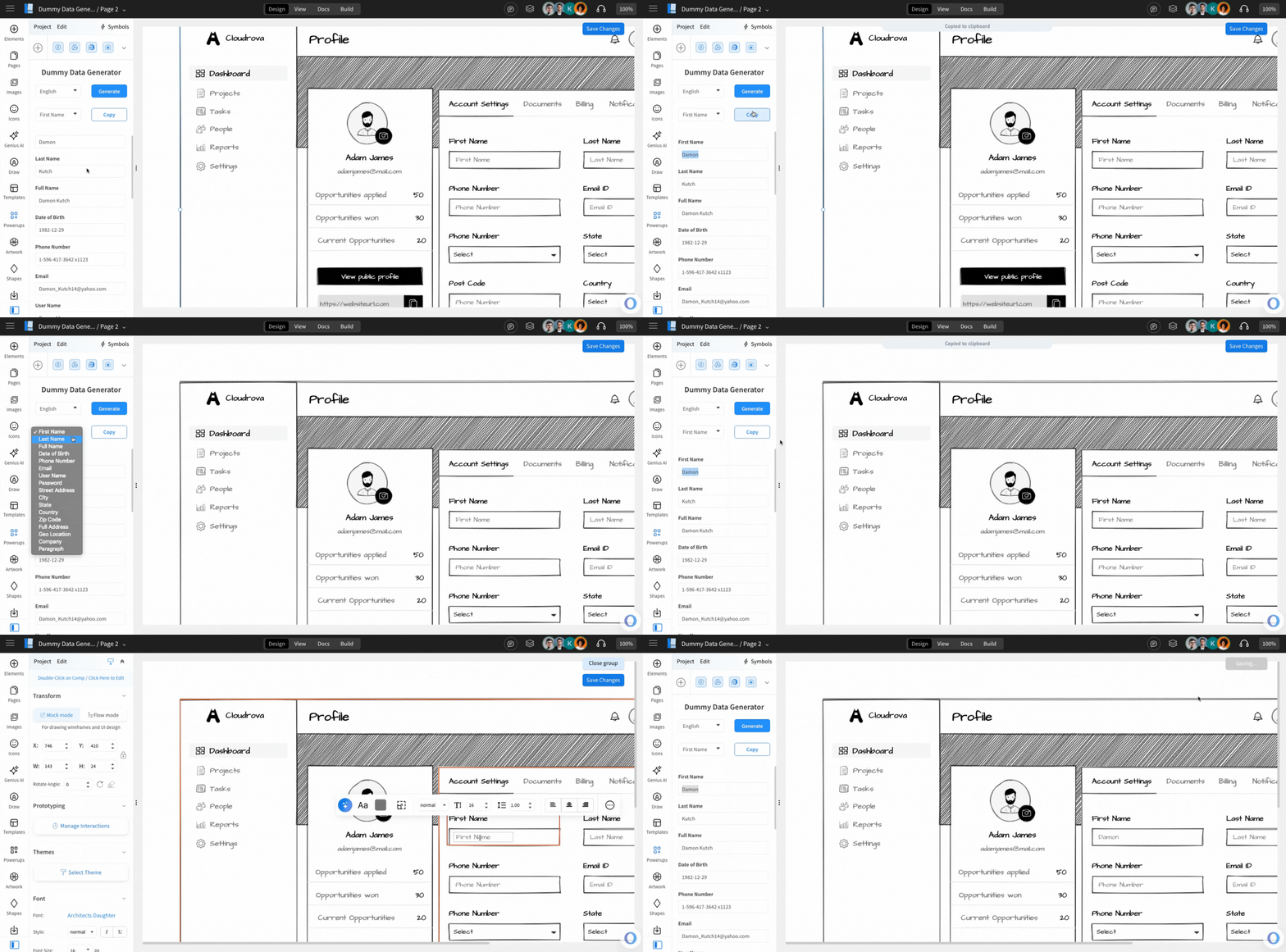
The Dummy Data Generator Power-Up helps you quickly insert realistic placeholder content into your wireframes. With one click, it generates sample user details such as names, phone numbers, addresses, emails, and more - in more than 35 languages.
This allows you to bring your wireframes closer to real-world context without manually typing fake information each time. Wireframes look far more meaningful when they contain believable placeholders instead of repeated dummy text like "John Doe" or "123456".
With the dummy data generator, you can instantly produce content for:
- First Name / Last Name / Full Name
- Date of Birth
- Phone Number and Email
- Username & Password samples
- Address fields (Street, City, State, Country, Zip, Full Address)
- Geo-location coordinates
- Company name
- Paragraph text
This help article lists,
- Steps to install the Dummy Data Generator power up.
- Use the power up to generate random dummy data for your Wireframes
How to install the Dummy Data Generator powerup?
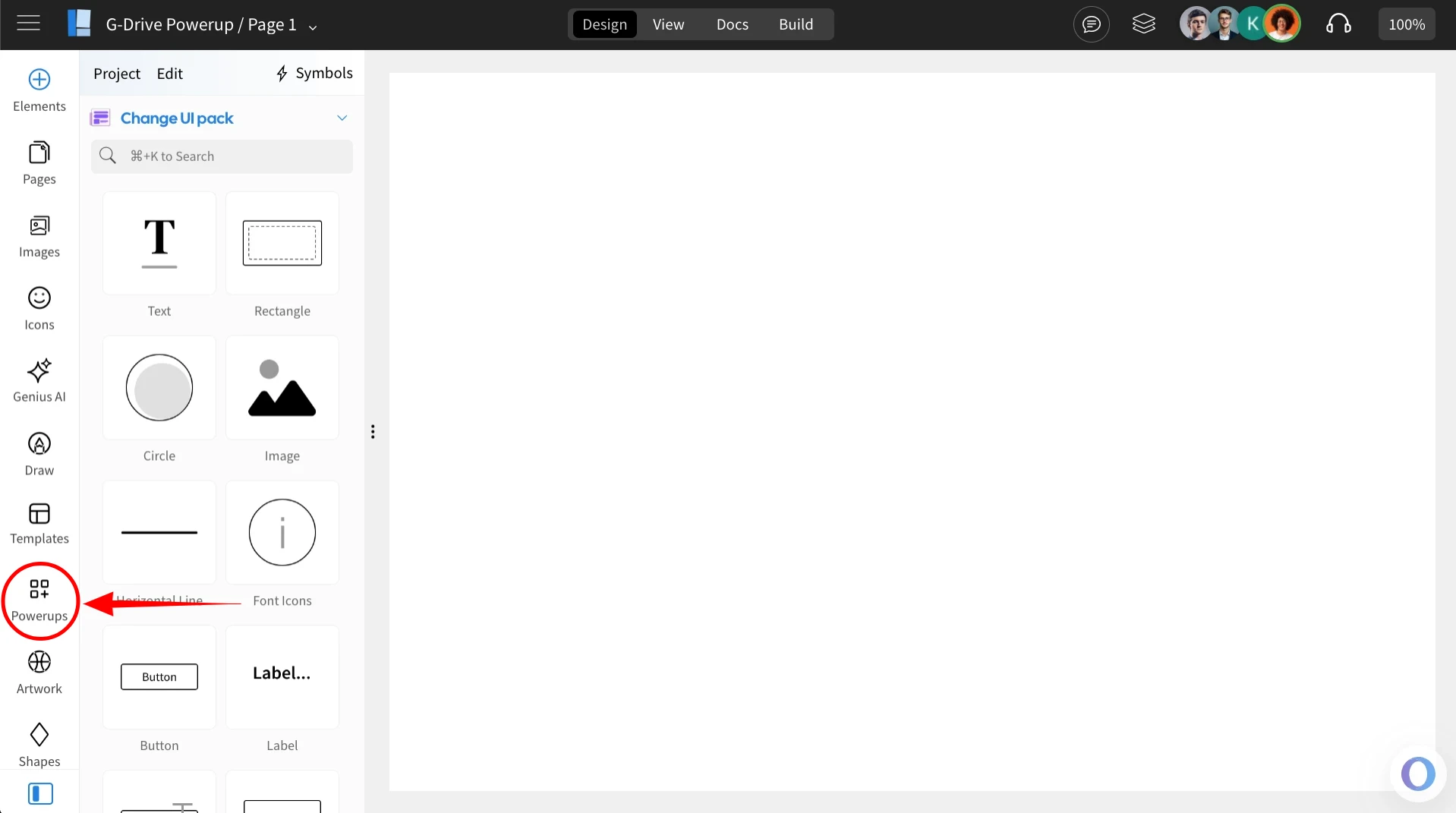
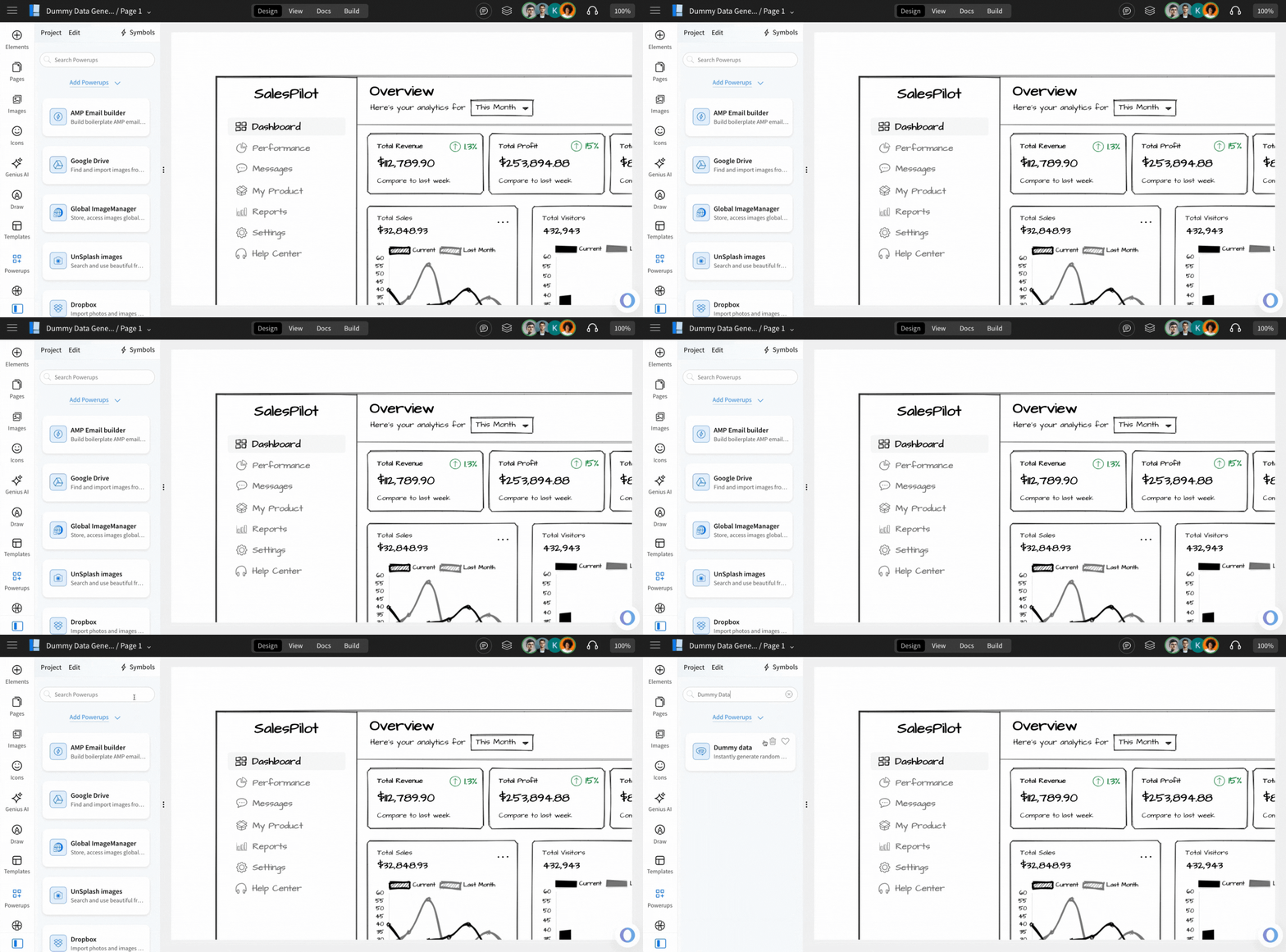
1Inside the MockFlow WireframePro Editor, click on ‘Powerups’.
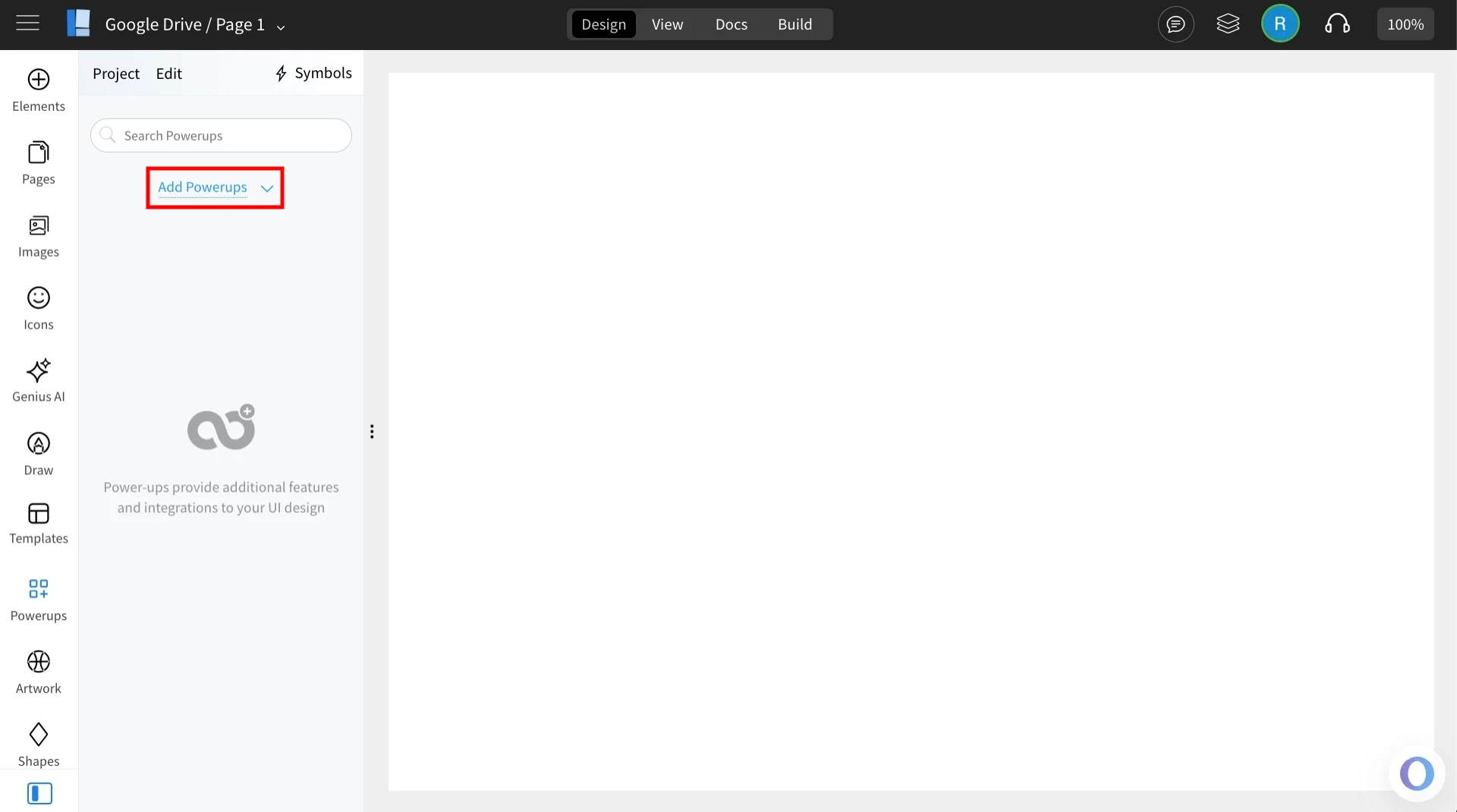
2Click on the 'Add Powerups' to install the powerups.
3From the list of available powerups, locate ‘Dummy Data Generator’ and click on it.
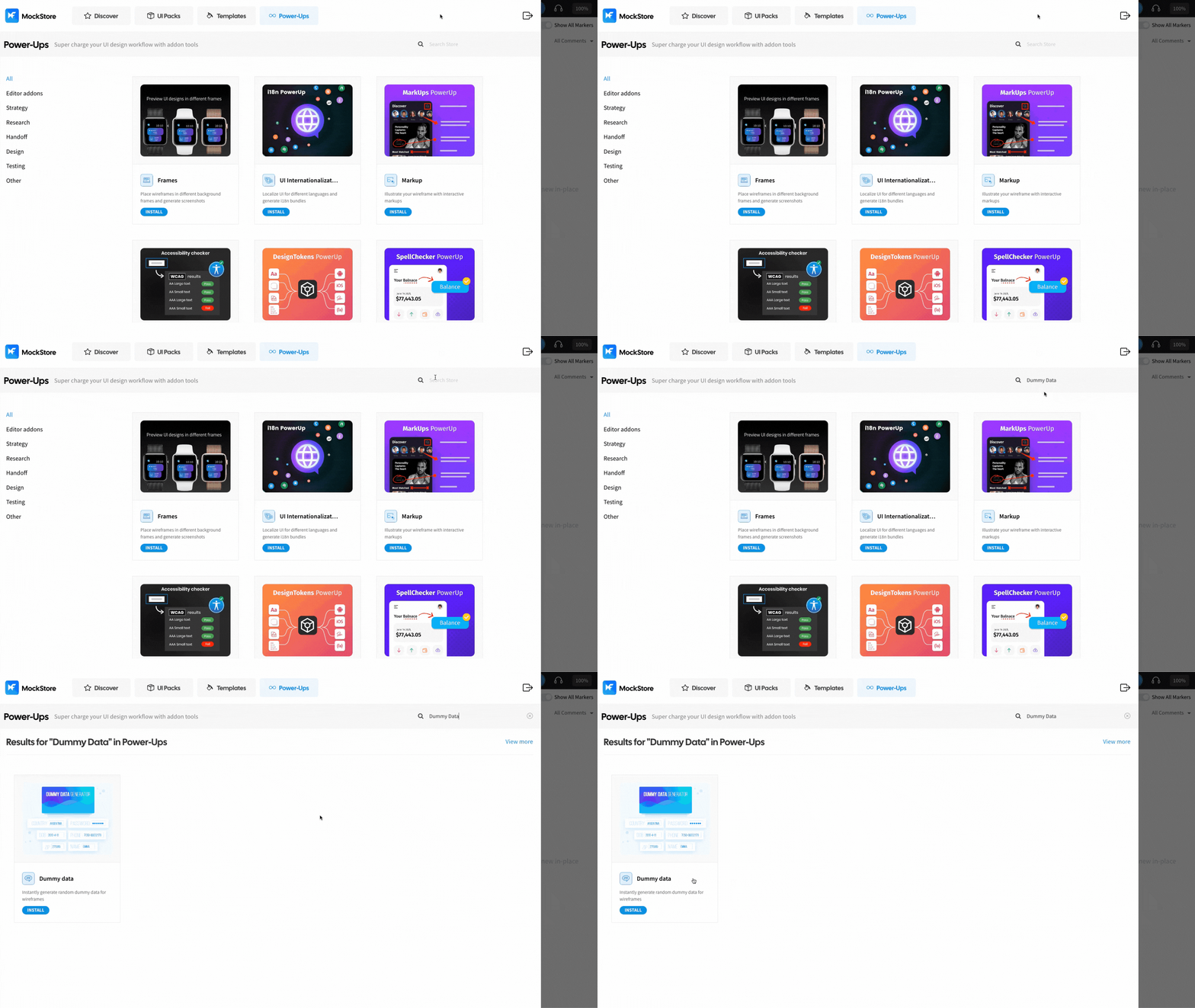
4Click ‘Install’ to confirm. The power-up will be added to your editor.
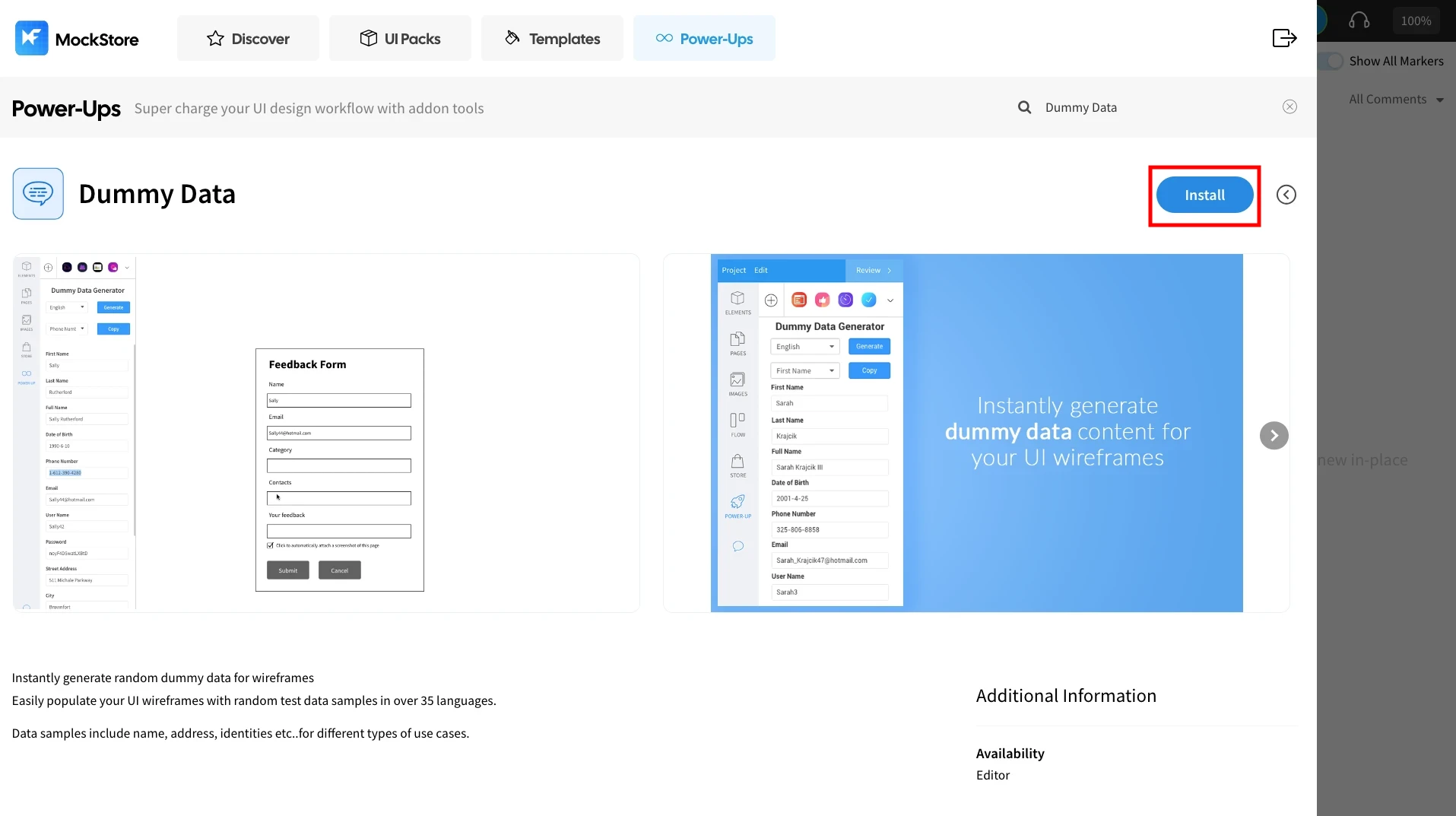
5Once installed, click on the ‘Dummy Data Generator’ power up.
Instantly generate random dummy data
You can use this power-up to generate dummy data for your wireframes instantly.