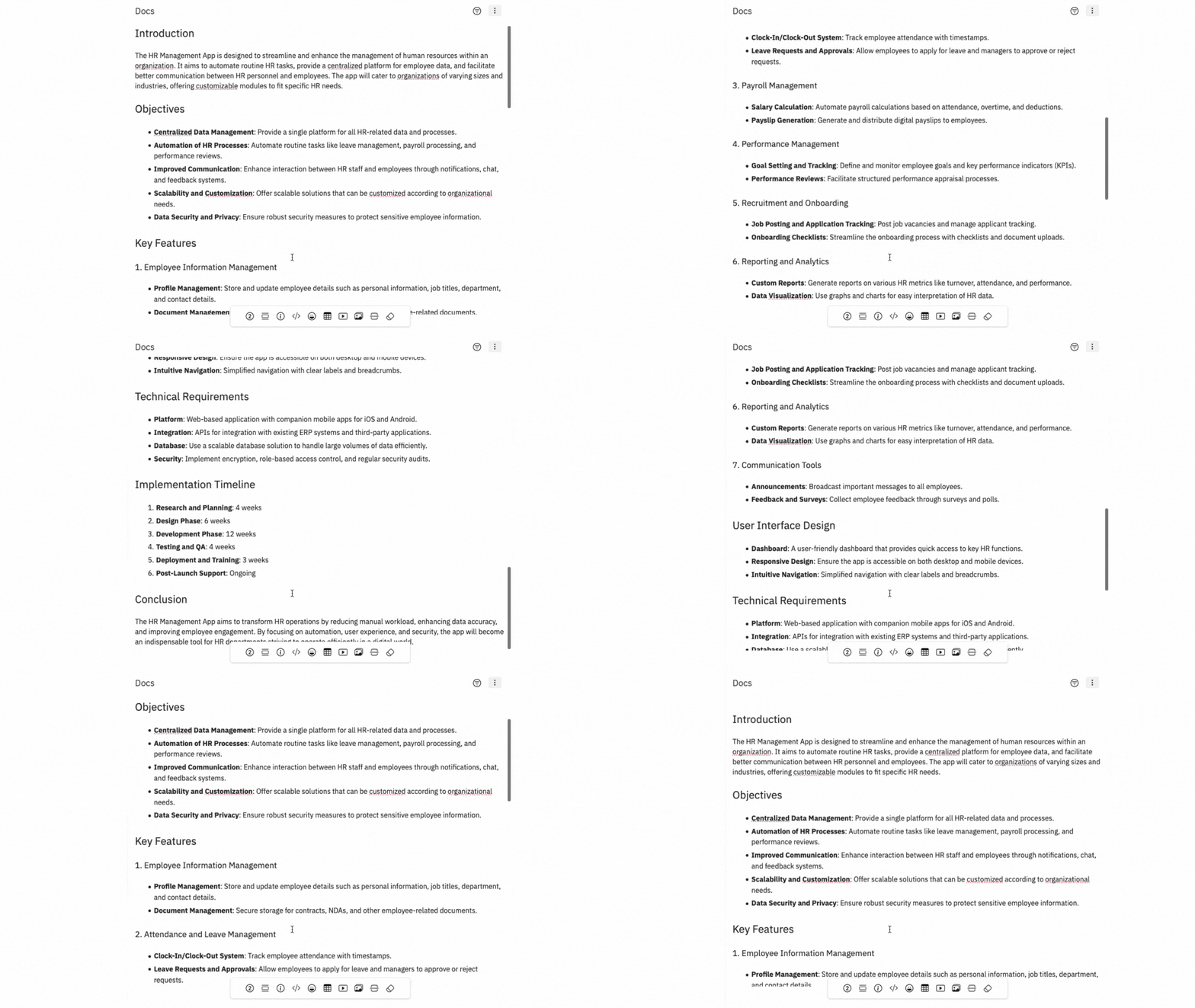
Creating UX docs with AI saves time and effort when you want a specific document structure like a Project requirement document, design brief, etc.
Follow these steps to create UX docs using MockFlow AI:
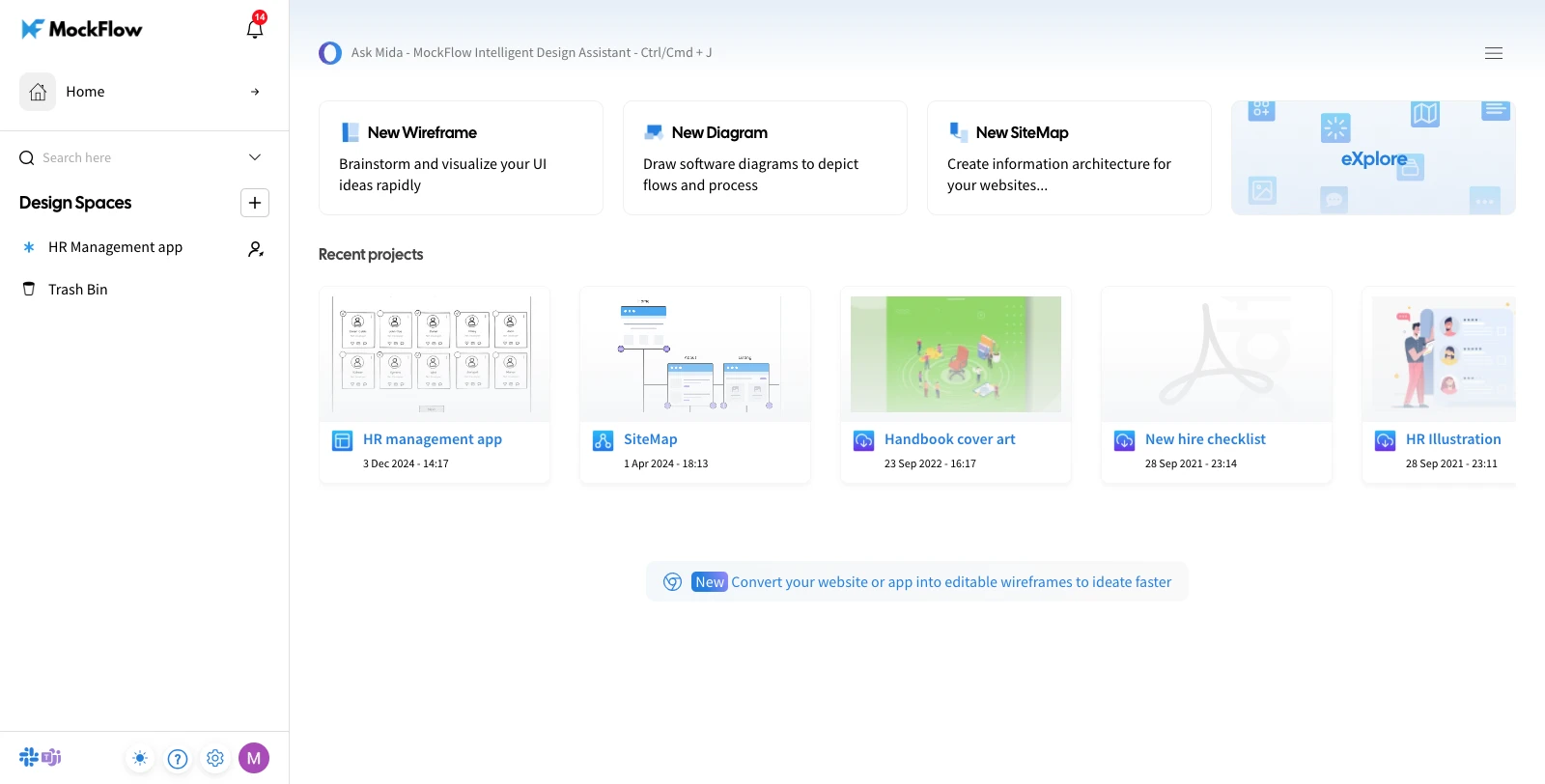
1From your MockFlow dashboard, select a design space and open the desired project.
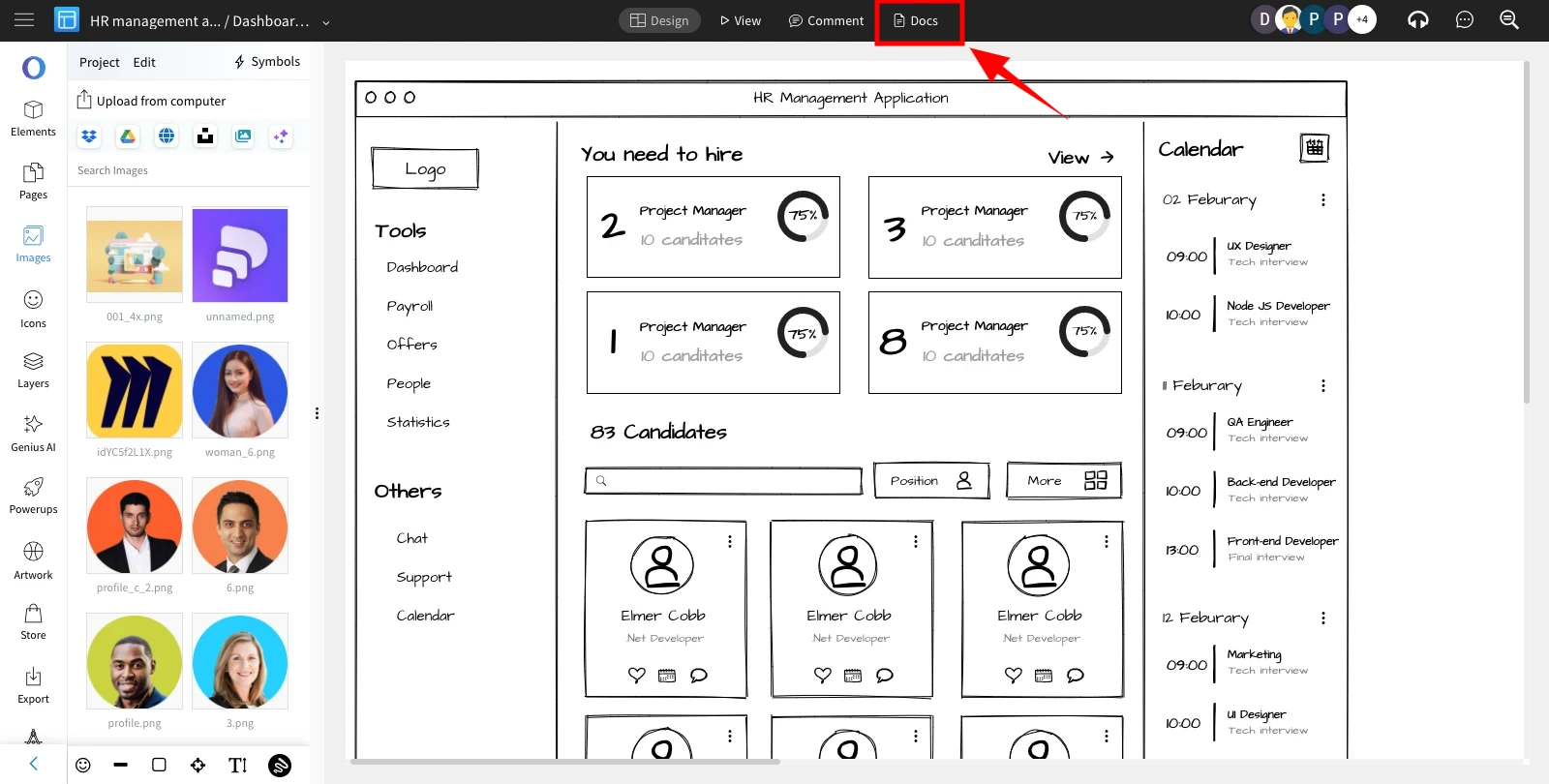
2In the wireframe editor, click on 'Docs' from the top menu.
3The Docs sidebar will appear, click on More Options and select a template from the list.

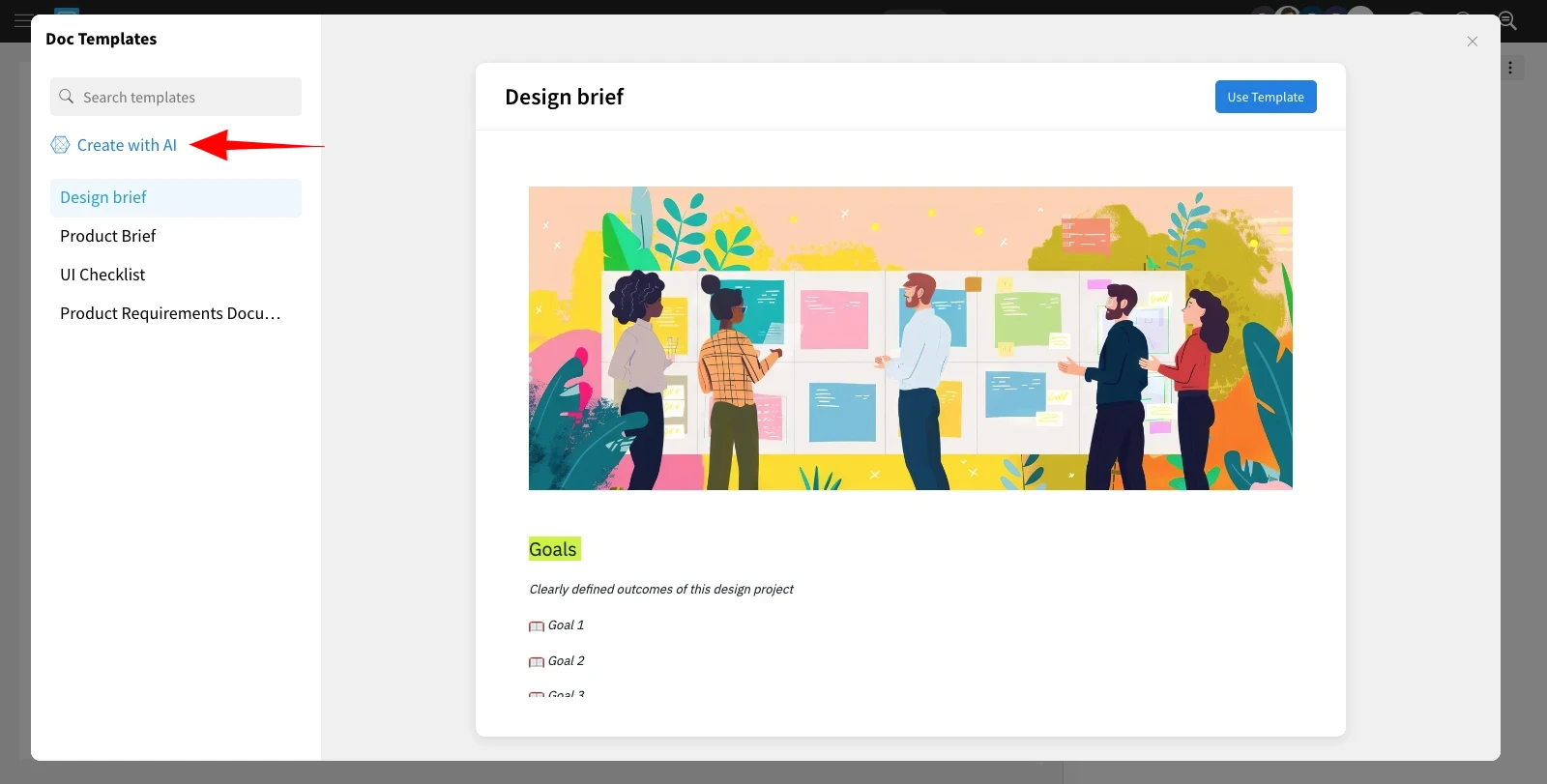
4In the Templates section, click on 'Create With AI.'
5And confirm it by clicking 'ok.'

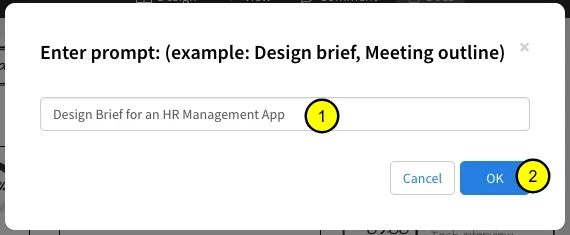
6Enter your prompt and click 'OK' to generate UX docs using AI.
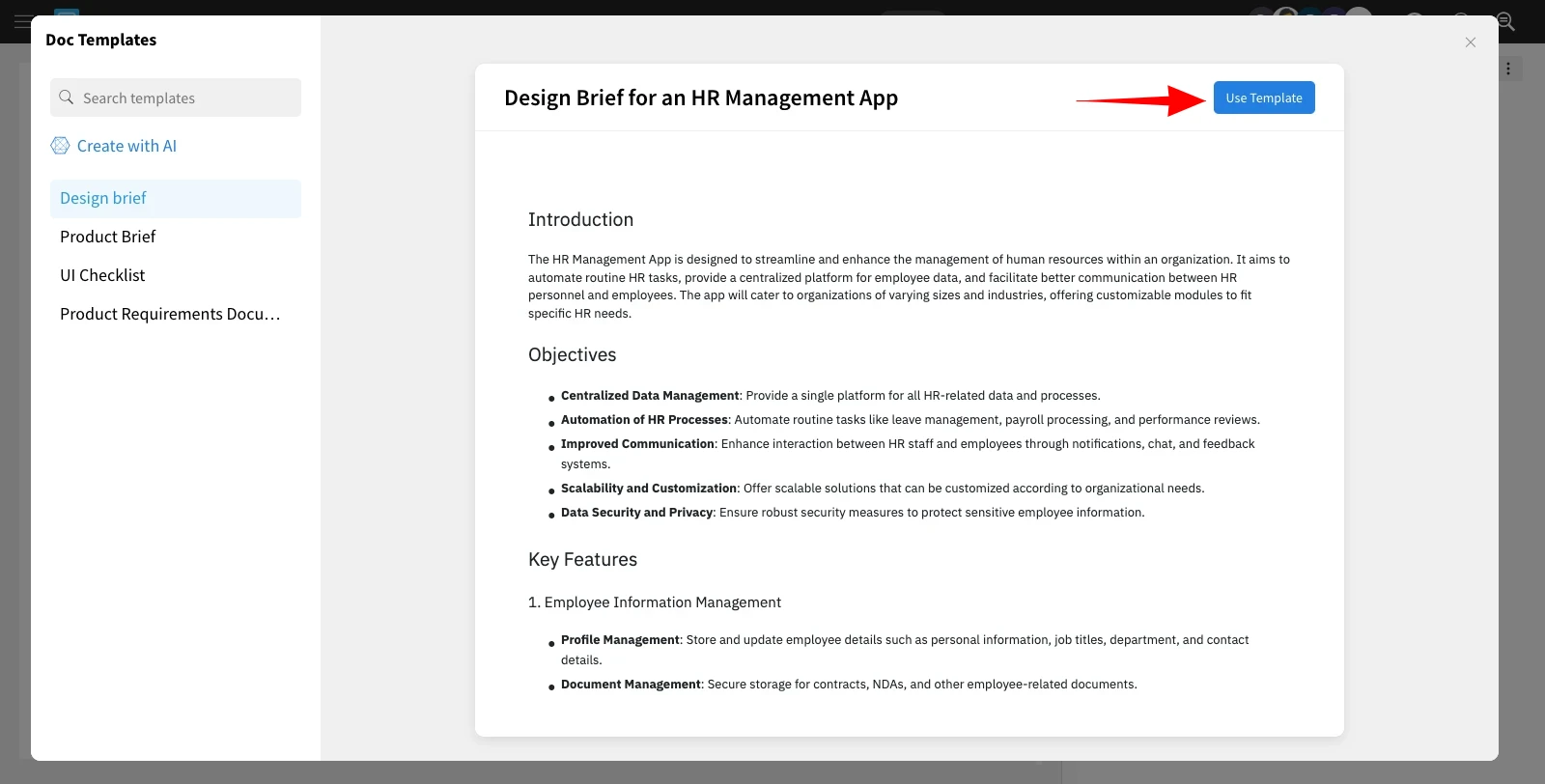
7The AI-generated UX docs will be created based on your input. Click 'Use Template' to add them to your project.
8Customize the AI-generated UX docs within the built-in Docs editor as needed.