Available in:
Basic
WireframePro
IdeaBoard
Bundle Plan
Enterprise
Track your team's actions within the design space and stay updated on any changes. Follow the instructions below to track team activity in the design space.
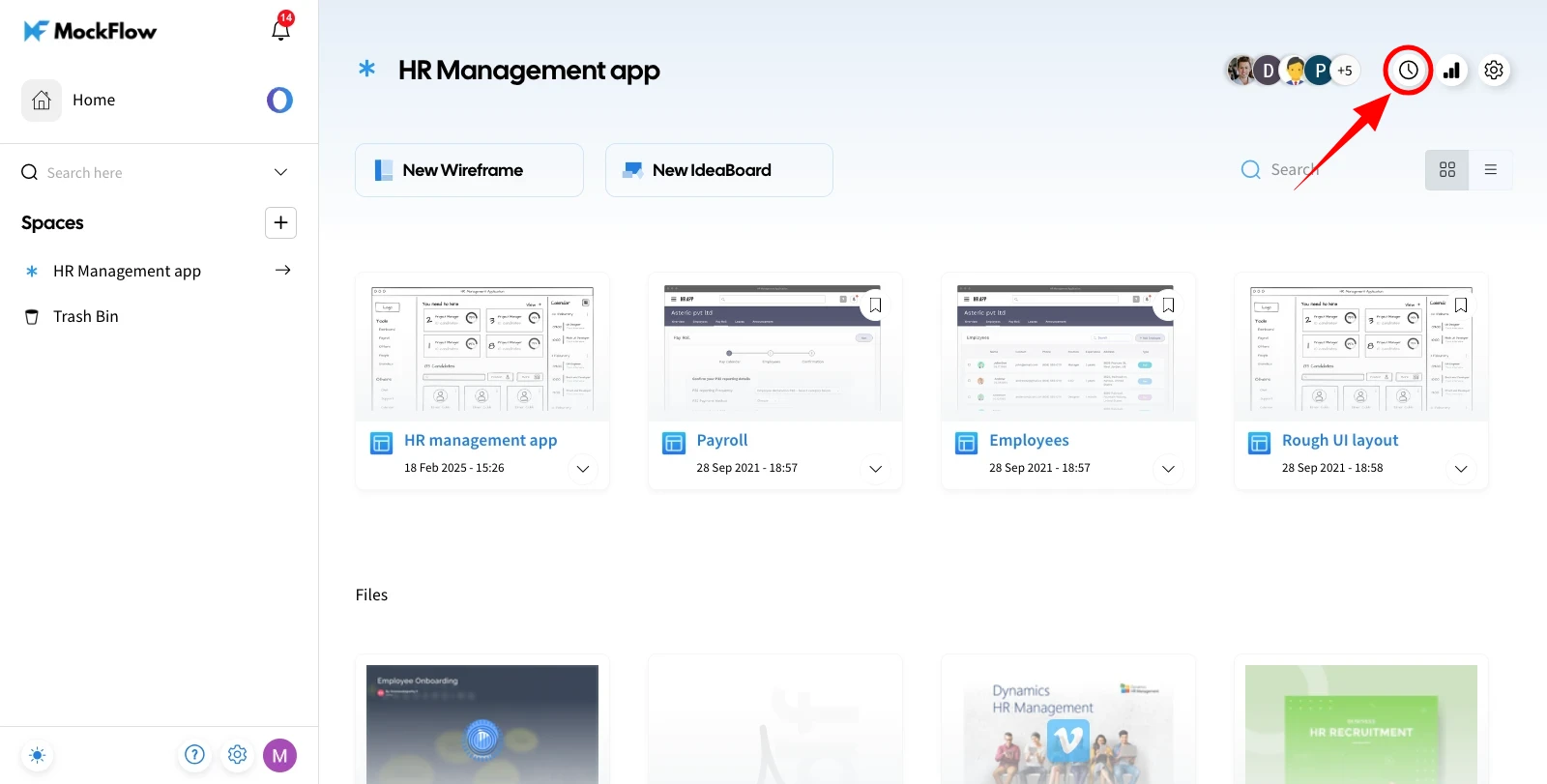
1First, select the design space and click the 'Space Activity' icon in the top right.
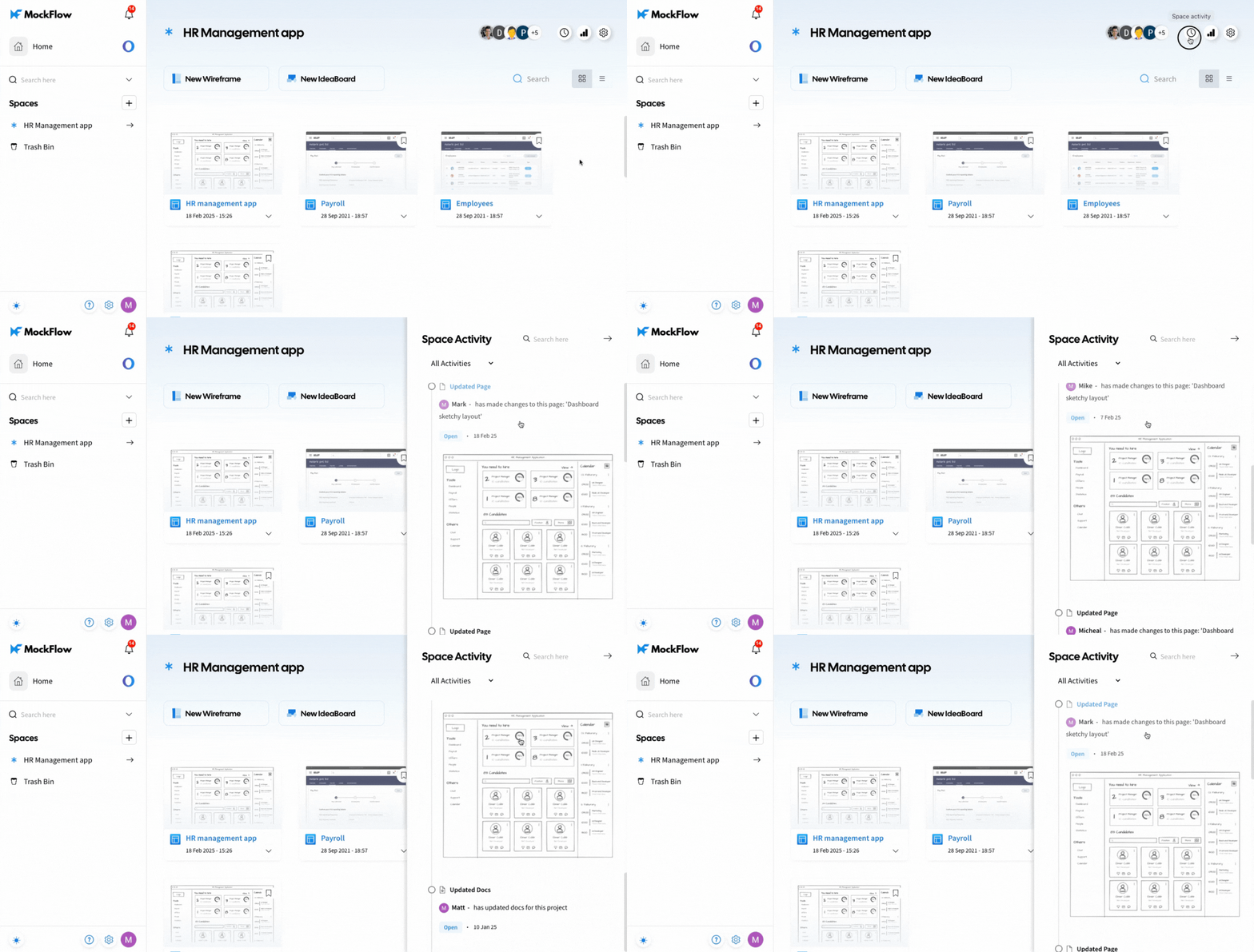
2The Space Activity sidebar will appear, displaying a list of activities across all projects within that design space.
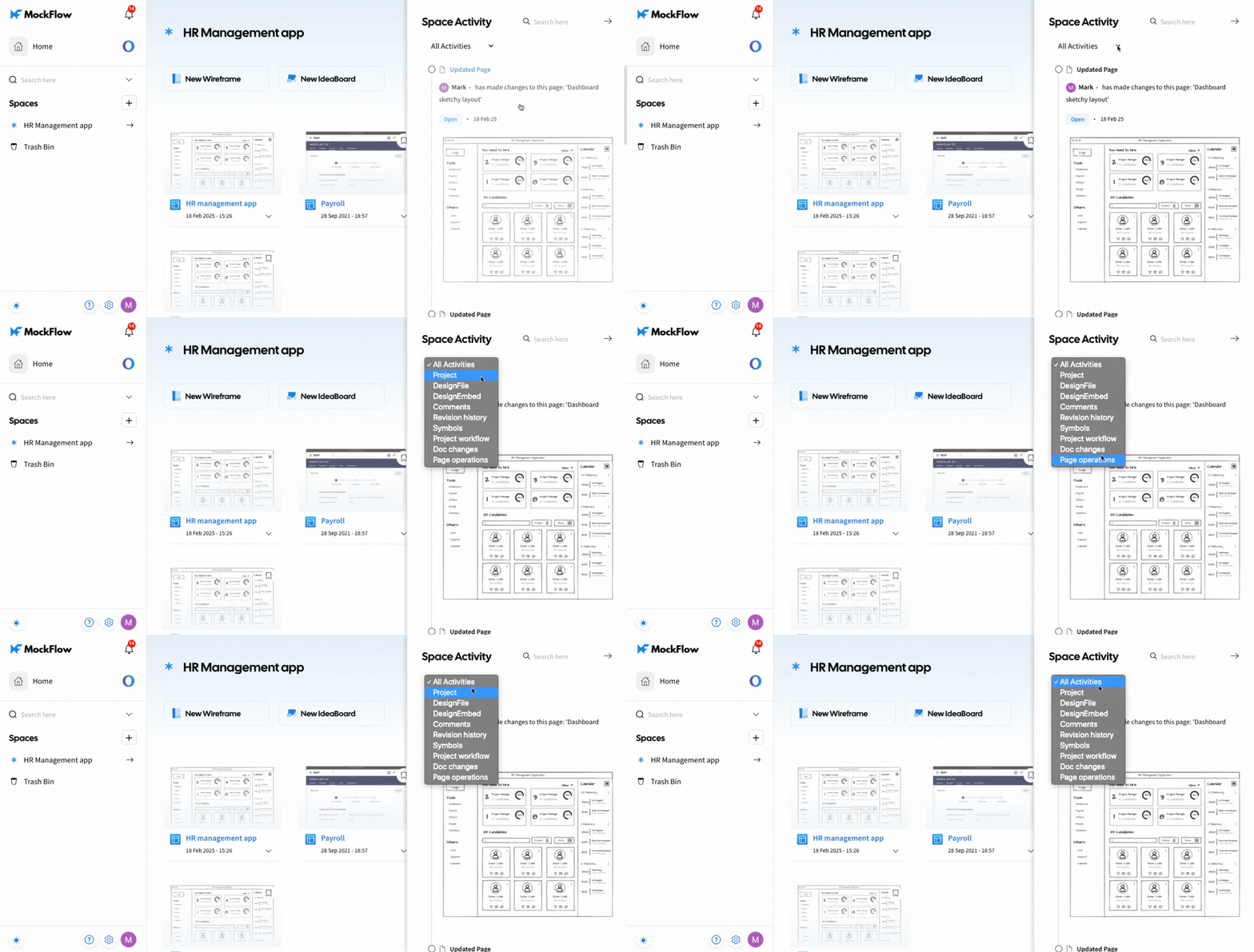
3You can filter Space Activities by Project, Design File, Design Embed, Comments, Revision History, Symbols, Project Workflow, Doc Changes, and Page Operations.
This feature, along with Space Analytics, is available only to Business and Enterprise plan users.


